7 Deadly Facebook Marketing Sins According to Grandma Mary

Grandma Mary Social Media EdutainerAre you using Facebook for business?  Are you doing it “right”?

Frankly I get a little peeved at all the self-righteous do-gooders who tell you that you are doing it “wrong”.   But I definitely know that there are some no-no’s on Facebook.  While there isn’t a “one-size-fits-all” approach, there are some good tactics you can use to improve your strategy.

Make sure you aren’t making these mistakes with your Facebook marketing.  You probably won’t die, but your business could suffer – even worse!  :)

1.  Not posting enough

Not posting enough is the deadly sin I see most often. I see Pages that haven’t been updated in months and sometimes years.  Goodness gracious, if you are going to provide a link to your Facebook Page from your website, make sure that Page is active.  If you have decided that Facebook Marketing isn’t working for your business, just take your Page down.

I recommend posting at least once per day.  Some niches and Pages can do better by posting more often – the sweet spot is often somewhere between 2-5 times per day.  Batch your work by scheduling some of your posts out ahead of time.  I have a great product called the Social Media Success Planning Kit (shameless plug) that can help you create your Editorial and Activity Calendar to help you save time.

2.  Not posting enough helpful content.

Your Page is not there for continually blasting out your marketing messages.  Think of the radio stations you might listen to (ok, used to listen to – who listens to radio anymore?) – would you listen to a station that was all ads?  No!  You’d change the channel and never come back.  Your posts should be 20% marketing messages max (I prefer 10%) and 80% education, helpful tips, and fun.

Sometimes it’s hard to find good content.  I have a blog post that can help:  How to Find the Best Content to Share on Social Media.

3.  Not following Facebook’s rules.

Facebook isn’t policing Pages that tightly.  We’ve all seen rule-breakers from the businesses who have set themselves up as a personal profile (think “JoesCoffee Shop wants to friend you” – no no no) to the Page who is violating the Cover photo rules (which have recently changed, see #6 of this post that will help you set up your Facebook Page the right way).

But just because everyone else is doing it and getting away with it doesn’t mean that you should.  If everyone jumped off the Brooklyn Bridge would you do it too?  No.  Familiarize yourself with Facebook’s rules and keep updated on the changes.  You could be in danger of having your Page shut down and Facebook does it without warning.

Especially watch the contest rules because those are often ignored and will put your Page at risk if you ignore them.  Read this post to get the whole scoop:  3 Tips to Help You Run a Facebook Contest the Right Way.

4.  Closing your Page to comments.

Remember that it’s called “social” media.  Let people talk to you!  Don’t close your page to comments because you are worried about “negative” comments.  Most pages do not get negative comments and if you do, consider it valuable feedback and use it as an opportunity to show that you are listening.

Some industries such as healthcare or financial industries may need to close the page to comments to take regulations into consideration.  If that is the case, mention that in your About Page so people know your reasoning.

5.  Deleting Negative comments.

Do not delete negative comments.  Don’t.  Unless you have a troll.  A troll is someone who attacks you (or the members of your community) and does not respond to attempts to take the situation offline.  Oooo I don’t like those nasties.  This doesn’t mean that the person cannot express their opinion, but if they continually attack you, you can delete and ban them.

Have a written policy on your Page to help you and your community understand how to behave on your Page.  Even though Facebook is an open site, your Page is your sandbox and you make the rules there.  On the Social Media Examiner Page, the rules are written on the About Page.

6.  Not responding to posts.

This is almost as bad as not posting in months.  If someone takes the time to ask a question or post a comment on your Facebook Page, respond!  If someone came to your store and asked a question, you wouldn’t just stare at them.  You would respond or acknowledge them in some way.  If it’s spam, delete it.

7.  Not getting your Fans onto your E-mail list.

This is not a deadly sin.  But this will improve your Facebook marketing dramatically.  You need to tie your Fans into your e-mail list so you can connect with them both on e-mail and on Facebook.  Facebook could go away tomorrow and you would still have the ties to all of your Fans.  Your e-mail list is yours.  But how can you use Facebook to get people onto your list?  Here are some ways:

  • Have a special tab with a free report or white paper that you offer your fans.  See my Facebook freebie tab.
  • Occasionally post a link to your special freebie landing page and invite people to get it.
  • Have a fantastic webinar and post about it on Facebook.  I even have a page where people can listen to some of the best of Andrea’s webinars (I pop in occasionally).  Then I post this link from time to time.
  • Run a Facebook contest and let people know when they enter they will be added to your e-mail list.

So there you have it!  Don’t make these Facebook mistakes on your page.  What do you think?  Are there more mistakes that I missed?  Some on this list that shouldn’t be here?  Let Grandma know in the comments below.

And don’t worry too much if you’ve made some of these mistakes – we are all getting better.  We are getting older and wiser, right?  Love ya!


Four Conference Networking Tips from Ambassador Bruny

Grandma Mary with Ambassador BrunyHow do you make the most of a large conference?  How do you meet people and make good connections?

While at SXSW last week along with 20,000 other people, I had the pleasure of meeting just the man who could answer those questions – Ambassador Bruny.  His latest project is “The New Art of Conference Networking: Hashtags to Handshakes.”

I chatted with him at the Copyblogger party and he gave some quick tips on how to network effectively!

Just to recap, here are his tips:

Focus:  What are your goals outside of the conference?

Engage:  Connect with people before the conference.  Reach out online

Attend:  Find ways to be helpful in person.

Follow Through:  Follow up with people after the conference.

Great information and make sure you connect with him on his site at www.ambassadorbruny.com and on Twitter @AmbassadorBruny

The Best LinkedIn Tips from Kevin Knebl

Linkedin logoSocial Media has nothing to do with technology.”  Loved that line from Kevin Knebl‘s recent LinkedIn Presentation in Denver.  So true!  It’s about people and connecting.

I was so excited to finally meet Kevin in person after years of being connected with him on Facebook, Twitter, LinkedIn, and a quick actual phone conversation one time (yes, people, you can pick up the phone and call Grandma!)

Here is our interview and I have some more little nuggets of wisdom from his talk below!

1.  LinkedIn is a database.  He definitely hammered this one home and I think it’s a great point – you can find amazing things on LinkedIn!  Use it to search and find people you want to connect with.  Use the Advanced search to really take advantage of the platform (better than Match.com as Kevin says in our interview)

2.  Your Profile is the most important part of LinkedIn.  Fill in the summary, use keywords strategically, add skills, and smile in your profile picture – no one wants to connect to a sourpuss.  Take a lo0k at some of my tips on How to Optimize Your LinkedIn Profile to Attract More Customers.

3.  Build up your Recommendations, Endorsements are not as important.  Many people are giving out Endorsements left and right.  But Recommendations are much better in the long run.  Many people don’t think to ask for Recommendations but if you have done a great job, it’s a good idea to gently ask someone for a recommendation.  Whatever you do, don’t do it like this:  How NOT to Ask for a LinkedIn Recommendation.

4.  Keep connecting.  Loved another line of his “Most people don’t have a social media problem, they have a discipline problem.”  Small efforts over time give massive results.

5.  Have a system.  Have some prewritten messages that you can personalize to connect with people.  He had a document on his desktop that had several snippets that he could then personalize to send to someone when connecting, when asking for recommendations, and for asking for LinkedIn introductions.  Smart!

6.  Be real.  Kevin is a master and using humor (sometimes off-color and I think that’s why I love him!) and getting personal on his social sites.  He spent some time talking about Dale Carnegie’s Principles and how they apply to social networking.  Great stuff!

Kevin’s LinkedIn talk spent about 30 minutes going over LinkedIn and 2 hours talking about the principles of networking.  Which makes perfect sense.  Because as he said, ”Social Media has nothing to do with technology.”

Make sure you connect with Kevin at www.KevinKnebl.com  he’s fantastic!  Tell him Grandma sent you!  And take a look at some of my recent LinkedIn blog posts for more tips.


Kevin Knebl and Grandma


What to Do If Your Twitter Account Has Been Hacked (and How to Prevent it From Happening)

Grandma was hacked.  Yikes that sounds like a bad horror movie.  But yes, I had my Twitter account hacked recently and it burned my bunions.

There are a couple different ways you can be hacked on Twitter.  Darn Twitter hackers. I’ll cover both types of hacking and show you what to do for each case.  Then I’ll give you tips on how to prevent hacking in the future.

1.  You start tweeting strange things or sending strange Direct Messages (DMs) without your permission.

The first way you’ve been hacked isn’t really a true hack.  You may start tweeting weird things or sending mass DMs to everyone you know.  But you still can log into your account and have access to it.

What has happened is you have somehow given permission to a bad Twitter Application.  Twitter Applications can be helpful to you to allow you to tweet from different platforms or to do some analysis on your account.  But some people program bad Apps that tweet strange things on your behalf.

Usually all it takes is to click on a strange Link and then the App takes over.  The hard thing is that these hackers make it very compelling to click on the link.  The offending link usually appears in your Direct Message folder from one of the people you are following (it could even be a friend you know well) telling you that someone is “posting strange things about you” or “check this out” with a link to the supposed story.


Twitter DMs


If you have accidentally clicked on a bad link, all you need to do is follow these steps:

1.  Go to Settings from the menu in the upper right corner of Twitter.

Twitter Settings


2.  Click Apps and then Revoke access on any Application you don’t recognize.  This is good practice every once in awhile anyway.  A good App can go bad from time to time so why give them control over your account?

Revoke access to Twitter apps

3.  Change your password just to be on the safe side.

4.  Delete any unwanted sent tweets.

You should be good to go!  You can also take a look at Twitter’s recommendations in their Help section for more information on this type of problem.


2.  You can’t log into your Twitter account – it’s been completely hijacked.

This type of hack is a true hack.  You are locked out of your Twitter account and some rogue person is tweeting for you.  They also may change your Twitter name, your User Name, your profile picture and everything so it doesn’t even look like you anymore.  They have effectively stolen your Twitter followers.

Twitter hacker screenshot

In this case what should you do?

1.  Start taking screenshots of your account ASAP.

You want to document that you were the original owner of this account.  Take some screenshots of your tweets that will help you document your case to send in to Twitter.

2.  If you still have some access through a third-party app, send some tweets to document your case.

I still had access through Hootsuite and was able to send some tweets.  I was also using other apps like Tweet Old Post  and Facebook to send tweets out.  But the hacker soon realized I had access and deleted those Apps so I couldn’t communicate anymore.

3.  Report the incident to Twitter right away.

Twitter has a place to report this here:  My Account has been hacked.  It took some time to hear back from them when I first reported it which was frustrating.  But they did respond after a day or two.  We went back and forth a little bit and I think having the screenshots to document my case helped.  The whole thing was resolved in less than a week.  Forever in the Twitterverse but really not too bad in the grand scheme of things.

How to Prevent Your Twitter Account from Being Hacked

How do you stop those sneaky hackers?  Here are some tips that can help:

1.  Don’t click on any strange links.  

Bad links are often in DMs but could also be in regular tweets.  Think before you click!  The difficult thing about Twitter is that URL shorteners are used so you can’t tell what website you are going to before you click.  There are a couple of plugins that can help on Firefox and Internet Explorer:

These free plugins give you a preview of the full link.

2.  Change your password regularly and use a strong password.

3.  Make sure you are on the Twitter.com site before logging in.

This scam is known as “phishing” where you are told you need to enter your name and password to verify your account but it’s really a way to steal your identity.  Watch out for this trick on your bank account information, too.  And you haven’t won the Nigerian lottery either.

4.  Add your mobile phone number to your account.

Twitter can verify your account if it’s been hacked through your mobile phone and restore your access quicker.  Just go to the Mobile area in your Settings, add your mobile number and then they will ask you to text GO to 40404 to verify.

Add mobile phone to Twitter


Next make sure you Uncheck all the crazy notifications you might receive via your phone.    Who wants a text message every time someone follow them??

Twitter mobile notifications


So there you have it.  Check in with some other “Safe Tweeting Recommendations” from Twitter to keep the hackers at bay.

How about you?  Have you had your Twitter account hacked?  What advice can you give to help our readers out there?  Let us know in the comments below.   Stay safe everyone!

PS.  If your Twitter account has been hacked – I cannot help restore your account.  You will have to contact Twitter!

Pep Talk from Grandma Mary: Don’t Call Yourself Out

Today’s Pep Talk is from a rule of Improv Comedy:  ”Don’t Call Yourself Out”.  This is a great rule for the scenes but it’s also a great rule for business.  Get in there and run with the big dogs people!  Shine like the sun.  Love ya!

Grandma Mary’s Video Fail with Mr Video Himself – Perry Lawrence

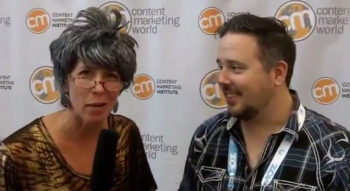
Grandma Mary and Perry LawrenceArgh, I screwed up!  Worse, I messed up my video production with Ask Mr. Video himself, Perry Lawrence!  I was so excited to meet him at New Media Expo last month.  He was one of the reasons I went to New Media Expo – to meet him and also to meet the amazing Jon Morrow.

But lucky for you I will break down my screw up in gory detail, so you can hopefully learn from my mistake.  Or at least you can point your finger and laugh.  I’m going to put in a few lessons I learned from this debacle – a little wisdom from Grandma – so pull up a chair.

When I was first starting my video blog almost 4 years ago (with this video post about Twitter), I had trouble understanding how to record and edit video, how to get it up to YouTube and how to get more traffic to my videos.  So I went online and did some searching and found Perry Lawrence.

I joined his forum and he answered my questions and was very helpful!

I learned how to do screen casts with the free tool Cam Studio.  Then I got a Kodak zi8 to help with my video interviews.  I chose this camera because of it’s excellent built-in microphone.  I didn’t need an external mic (or so I thought).  I’ve done a lot of interviews over the years with some fantastic people.  I had a microphone that I used as a prop but it’s cord was too short to plug in to the camera.  So I relied on the built-in mic.  Here’s where things go wrong.

[Read more...]